
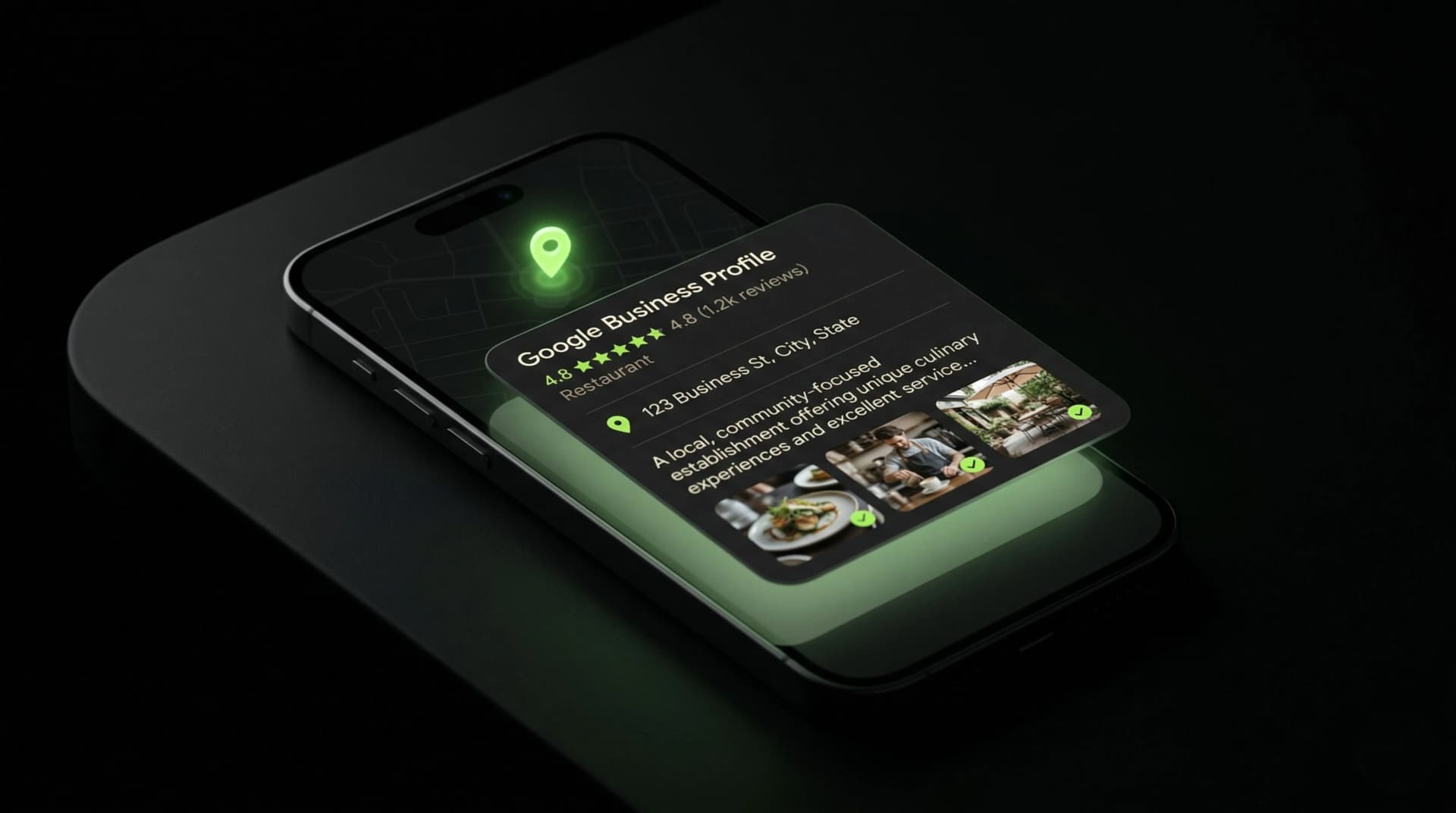

When someone searches your business name on Google, the first thing they see isn't your website.
It's your Google Business Profile.
That panel on the right side of the screen - or the card that fills the entire phone - with your name, your stars, your photos, your hours. Before they ever click through to your site, they've already formed a judgment. Based on what's in that card.
A complete, optimized profile builds trust before the click. An empty or outdated one kills it.
Most businesses claim their profile and stop there. That's like opening a store and leaving the shelves empty. The profile exists. It just doesn't work.
Here's how to make it work.
Why your Google Business Profile matters more than you think
Your GBP isn't just a directory listing. It's the most visible piece of your digital presence for local searches. Here's the math:
42% of all clicks on local search results go to the Map Pack - the three businesses Google shows with the map at the top of results. Your GBP is what gets you into the Map Pack. No profile = no Map Pack = invisible for nearly half of all local clicks.
Businesses with complete Google Business Profiles are 70% more likely to attract location visits and 50% more likely to lead to a purchase than businesses with incomplete profiles.
And the CPC for "google my business optimization" is $28.87 - meaning businesses are willing to pay nearly $30 per click for this traffic. That tells you exactly how valuable this visibility is.
You can have it for free. It just takes effort, not money.
Step 1: Claim and verify your profile
If you haven't done this, nothing else matters.
Go to business.google.com. Search for your business. If it exists, claim it. If it doesn't, create it. Google will verify you own the business - usually by mailing a postcard with a code to your physical address, though phone and email verification are sometimes available.
Critical details during setup:
Business name: Your real, legal business name. Exactly as it appears on your signage. Don't add keywords, locations, or descriptors. "Bright Smile Dental" - not "Bright Smile Dental - Best Dentist in Austin TX." Google penalizes keyword stuffing in business names and can suspend your profile.
Address: If you serve clients at your location, enter the full address. If you're a service-area business (plumber, contractor, mobile service), you can hide your address and set a service radius instead. Don't fake an address. Google checks.
Phone number: Use a local phone number, not a toll-free 800 number. Local numbers signal local relevance to Google - and to clients.
Step 2: Choose your categories strategically
Categories are one of the most underestimated ranking factors in local search. Most businesses pick one generic category and move on. That's leaving visibility on the table.
Primary category: This is the most important. Pick the single most specific category that describes your core business. Google offers over 4,000 categories. Don't settle for "Professional Services" when "Immigration Attorney" is available. Don't pick "Restaurant" when "Sushi Restaurant" is an option.
Secondary categories: Add 3-5 additional categories that reflect other services you offer. A dental practice might use "Cosmetic Dentist," "Emergency Dental Service," "Teeth Whitening Service," and "Pediatric Dentist" as secondary categories. Each one helps you appear in different search queries.
How to research categories: Search for your competitors on Google Maps. Click into their profiles and use a free tool like GMB Spy or Pleper to see which categories they've selected. If a competitor ranks above you for a search term you want, check their categories - you might be missing one.
Update categories regularly. Google adds new categories periodically. A category that didn't exist when you created your profile might exist now - and it might be more specific than what you originally chose.
Step 3: Write a description that actually works
You get 750 characters. Most businesses waste them on platitudes: "We are a family-owned business committed to excellence and customer satisfaction." Nobody reads that. Nobody is convinced by it. And Google gets nothing useful from it.
What to include:
- What you do (specific services, not vague promises)
- Who you serve (your ideal client, in plain language)
- Where you do it (city, neighborhood, service area)
- What makes you different (years of experience, specialization, approach)
Example - bad:
"Welcome to Bright Smile Dental! We are committed to providing the highest quality dental care in a comfortable and welcoming environment. Our team of experienced professionals is here to serve you and your family."
Example - good:
"Bright Smile Dental has provided general and cosmetic dentistry to families in South Austin for 14 years. We offer same-day emergency appointments, accept most major insurance plans including Delta Dental and Cigna, and see patients as young as 3. Our office is located two blocks from Barton Springs, with free parking and evening hours on Tuesdays and Thursdays."
The second version has specifics. Numbers. Insurance names. Landmarks. Scheduling details. Every sentence gives Google a signal and gives the client a reason to choose you.
Step 4: Upload photos that build trust
This is where most businesses fail completely. Either they upload nothing, or they upload blurry phone photos that make their business look worse than it is.
Photos are not optional. Google confirms that businesses with photos receive 42% more requests for driving directions and 35% more click-throughs to their websites than businesses without.
The photos you need:
Exterior (at least 2): Your building during the day. Your building at night if you have signage that lights up. These help clients recognize you when they arrive - and help Google confirm your location.
Interior (at least 3): Your lobby or waiting area. Your workspace. Any unique features of your space. Clean, well-lit, showing the actual experience a client will have.
Team (at least 2): Real photos of real people who work there. Not corporate stock photos. Clients want to know who they're going to meet. A photo of your team builds trust that no amount of copy can match.
Work samples (at least 3): Before-and-after for contractors and dentists. Plated dishes for restaurants. Finished projects for designers. This is visual proof that you deliver quality.
Action shots: You or your team actively doing the work. A dentist with a patient (with permission). A contractor on a job site. A chef in the kitchen. These bring your profile to life.
Photo quality matters. You don't need a professional photographer (though it helps). But you need decent lighting, a clean background, and sharp focus. A blurry, dark photo is worse than no photo. Use your phone in good light, shoot horizontal, and take 10 shots to get one good one.
Upload new photos regularly. Google favors freshness. Adding 2-3 new photos per month signals that your business is active. Set a reminder. Make it a habit.

Step 5: Get reviews systematically
Reviews aren't just social proof. They're a ranking factor. Google has explicitly stated that review count, review velocity, and review diversity influence local search rankings.
The business with 47 reviews and a 4.6-star rating will rank higher - and convert more clicks - than the business with 3 reviews and a perfect 5.0. Volume and consistency matter more than perfection.
How to get reviews without being awkward:
Create a direct review link. In your GBP dashboard, go to "Ask for reviews" and copy the short link. This takes the client directly to the review form - no searching, no clicking around.
Send it at the right moment. Right after a successful service, appointment, or delivery. While the positive experience is fresh. Not two weeks later when they've already moved on mentally.
Use text, not email. Text messages have a 98% open rate compared to 20% for email. Send a brief message: "Hi [Name], thanks for coming in today. If you have 30 seconds, a Google review would mean a lot to us: [link]." Short. Direct. Easy.
Make it part of your workflow. Don't rely on remembering. Build it into your process. After checkout, after the follow-up call, after the project wrap-up - wherever your client touchpoint is, that's where the review ask lives.
Never buy reviews. Never offer incentives. Google detects both and will penalize your profile. One fake review removal can cascade into a full audit of your reviews.
Step 6: Respond to every review
Every. Single. One.
Positive reviews: Thank the client by name. Reference something specific about their experience. "Thanks for the kind words, Maria - glad the crown fit perfectly on the first try" is infinitely better than "Thank you for your review!"
This isn't just polite. It shows future clients that you're paying attention. That you remember them. That their experience mattered. And it gives Google more content to associate with your profile.
Negative reviews: This is where most businesses panic. Don't.
Acknowledge the issue. Don't argue. Don't get defensive. Offer to resolve it offline. "I'm sorry your experience didn't meet our standard, David. I'd like to make this right - please call us at [number] so we can discuss directly."
The response to a negative review isn't for the unhappy client. It's for the hundreds of future clients reading it. They want to know: when things go wrong, does this business handle it with professionalism? Your response answers that question.
Response time matters. Aim to respond within 24 hours. Google notices response speed. Clients notice even more.
Step 7: Use Google Posts weekly
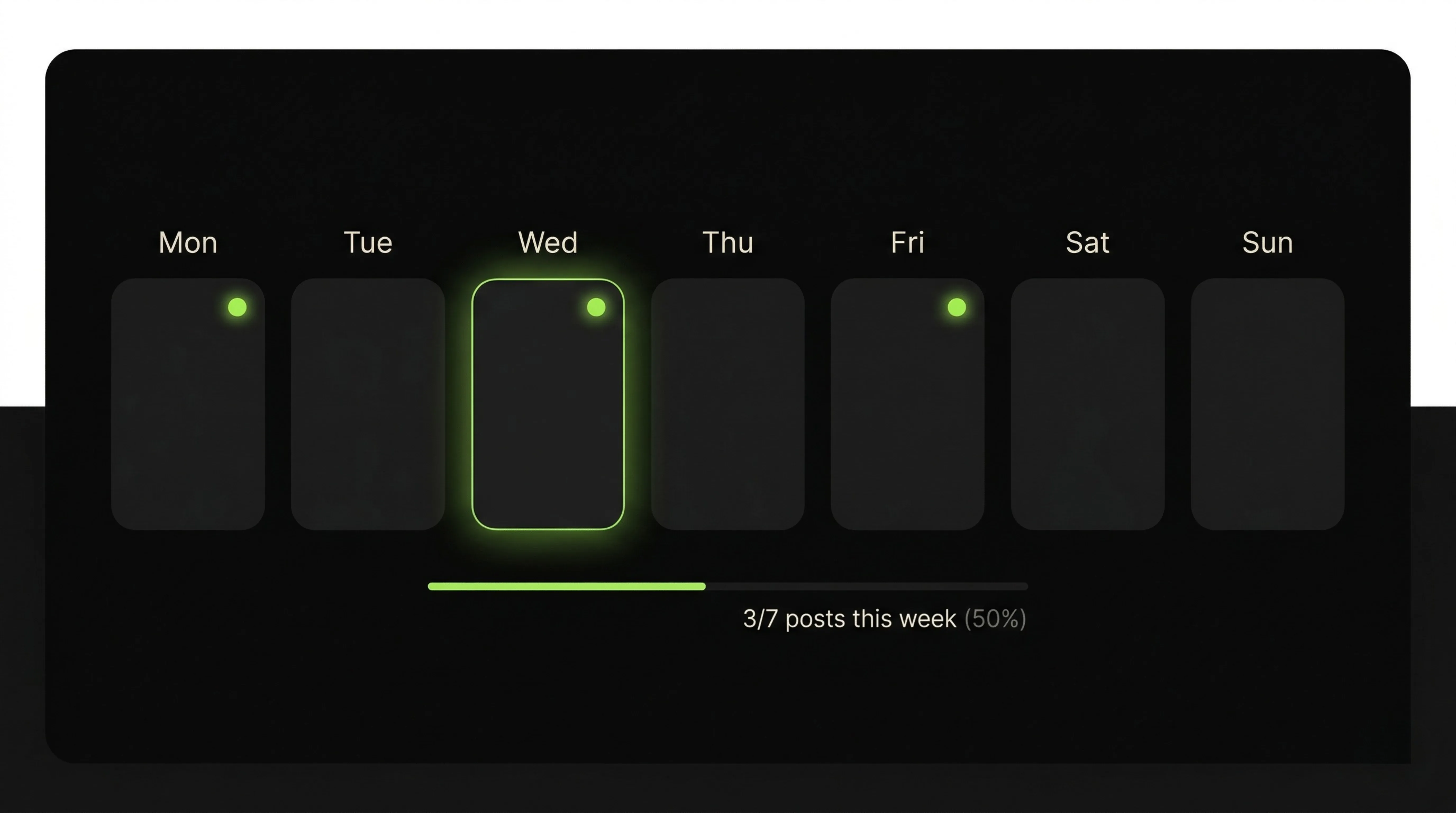
Google Posts are the most underused feature on GBP. They're free. They take 5 minutes. And they signal to Google that your business is active and engaged.
Types of posts:
What's New: General updates about your business. New team member, new equipment, expanded hours, a process improvement. Anything that shows you're evolving.
Offers: Promotions, discounts, seasonal specials. Include a clear call-to-action and an expiration date. Urgency drives action.
Events: Upcoming workshops, open houses, community involvement. These show you're part of the local ecosystem - which matters for local SEO.
The formula for a good post:
One clear message. One real photo (not stock). One call-to-action. Under 300 words. Posted every week.
What to post if you "have nothing to post":
- A behind-the-scenes photo of your workspace
- A tip relevant to your industry ("3 things to check before hiring a contractor")
- A client win (anonymized if needed): "Helped a client save $4,200 on their renovation"
- A seasonal reminder: "Summer HVAC maintenance - here's what we check"
- A team spotlight: "[Name] just completed their certification in [specialty]"
You always have something to post. You just need to decide it's worth 5 minutes.
Step 8: Preload your Q&A section
Most business owners don't know their GBP has a Q&A section. It sits right below the reviews. Anyone can ask a question - and anyone can answer. Including random strangers. Including competitors.
Take control of this section before someone else does.
Ask and answer your own top 10 questions:
Go to your profile. Click "Ask a question." Post the questions your clients ask most frequently - and answer them yourself.
Examples:
- "Do you offer free consultations?" - "Yes, we offer a free 15-minute phone consultation..."
- "What insurance plans do you accept?" - "We accept Delta Dental, Cigna, Aetna..."
- "Do you have parking?" - "Yes, free parking behind the building on Oak Street..."
- "Do I need an appointment?" - "Appointments recommended, but walk-ins welcome on..."
This does two things: it prevents wrong information from appearing, and it gives Google more keyword-rich content to associate with your profile. Every Q&A entry is a ranking signal.
Step 9: Track what's working
Google provides free analytics inside your GBP dashboard. Most business owners never look at them.
The metrics that matter:
Search queries: What terms are people using to find your profile? This tells you what keywords are already working - and where there are gaps.
Direction requests: How many people asked for directions to your business? Trending up is a direct signal of local SEO improvement.
Phone calls: Calls initiated directly from your GBP. This is a conversion metric. If it's growing, your profile is doing its job.
Photo views: How often are your photos being viewed compared to similar businesses? If your competitors' photos get 3x the views, you need better photos.
Website clicks: Clicks to your website from GBP. If this number is high but your conversion rate is low, the problem is on your website - not your profile.
Check these monthly. Look for trends. A sudden drop in calls or direction requests might mean a competitor optimized their profile - or that your information is outdated.
The profile most businesses have vs. the profile that wins
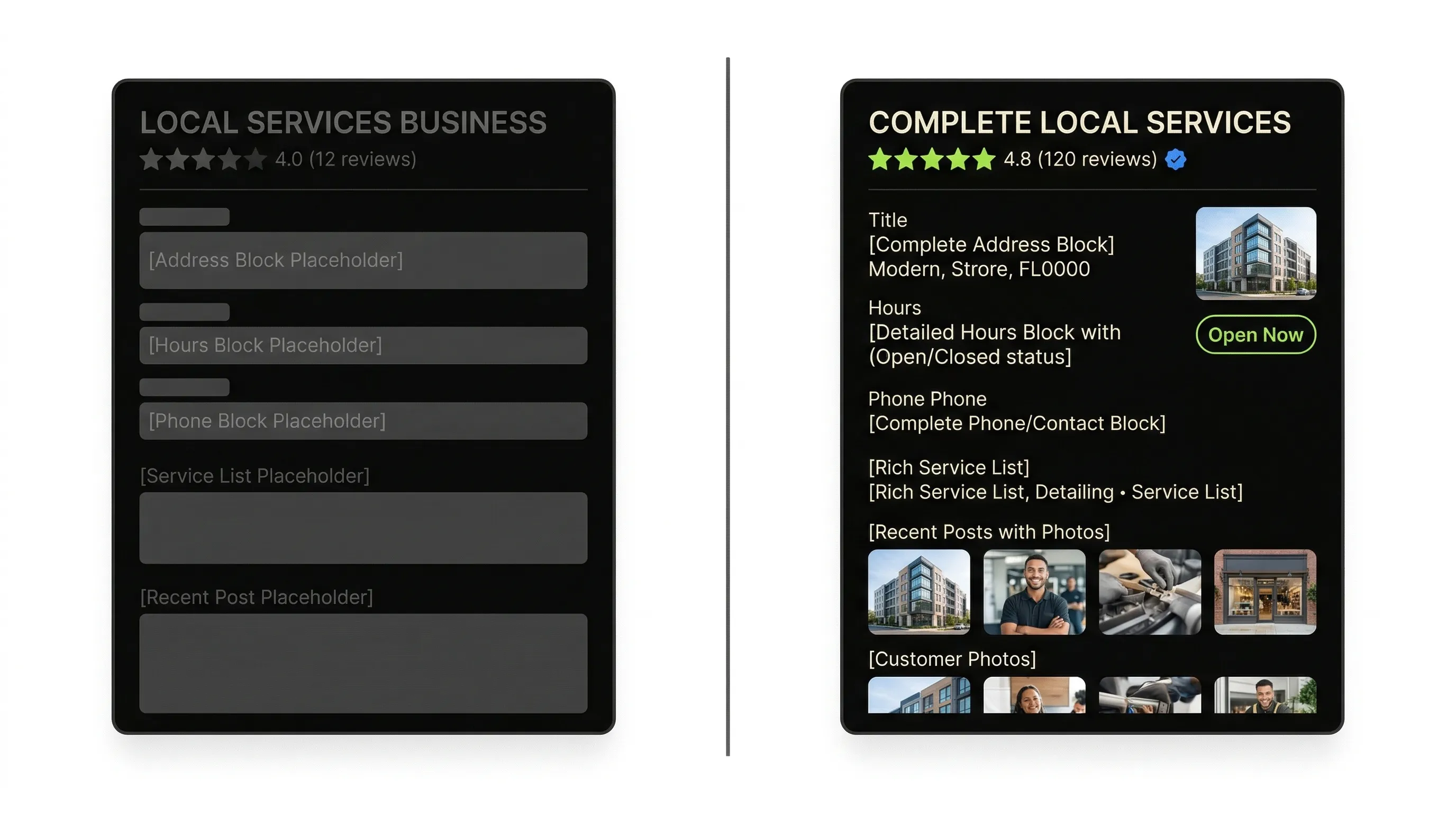
The average small business GBP has: a business name, a phone number, maybe an address, 1-2 blurry photos, and zero posts.
The GBP that dominates local search has: optimized categories, a keyword-rich description, 20+ real photos updated monthly, 30+ reviews with owner responses, weekly posts, a preloaded Q&A section, and an owner who checks analytics monthly.
Same free tool. Same platform. Completely different results.
The gap between these two profiles isn't talent or budget. It's attention. The business owner who gives their GBP 30 minutes per week wins against the one who set it up once and forgot about it.
Your Google Business Profile is step one. What's step two?
An optimized GBP gets you into the Map Pack. But the Map Pack is just the first touchpoint. After someone clicks your profile, they often click through to your website. And if your website doesn't match the credibility your profile just built - if it's slow, outdated, or empty - the click doesn't become a call.
Your GBP and your website work as a system. One attracts attention. The other converts it.
The Infuser Digital Credibility Census evaluates both - your Google visibility AND your website's conversion readiness. You answer 13 questions. You get a score from 0 to 100, your biggest gaps, and a clear priority list.
Start with the profile. Then fix what's behind it.
Want to know exactly how this is affecting your business?
The Digital Credibility Census calculates your estimated monthly loss using your data. 5 minutes, free.